-
Casinos
Online Casinos
Casino Software:
- Crypto
-
Casino Games
Casino Games:
- Real Money Slots
- Bonuses
- Banking
- Guide
 1 April 2025
 6 minutes to read


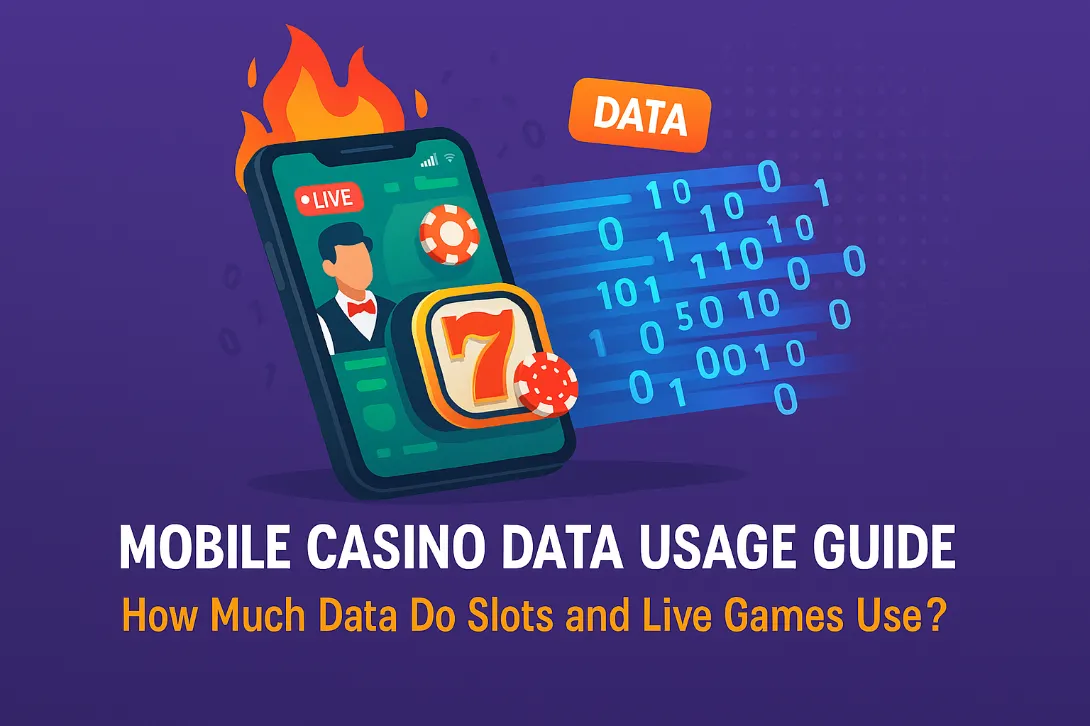
Slots use roughly 5–30MB an hour. Live dealer games use 200–500MB an hour, because you’re streaming video. That’s the whole answer, and the gap between them is about 20x.
In practice that means a 1GB allowance covers 30 hours or more of slots, or roughly two to four hours of live blackjack. If you’re on a limited plan, the game type you pick matters far more than anything else you can adjust.
🛡️Editorial Transparency: We independently audit all casinos. We may earn a commission if you visit them through our links. Read our Editorial Policy.
| Game type | Per hour | 1GB covers |
|---|---|---|
| RNG blackjack & table games | 2 – 5 MB | 200+ hours |
| Classic slots | 5 – 15 MB | 65 – 200 hours |
| Modern video slots | 15 – 30 MB | 30 – 65 hours |
| Sportsbook browsing | 10 – 25 MB | 40 – 100 hours |
| Live dealer (low quality) | 150 – 250 MB | 4 – 6.5 hours |
| Live dealer (high quality) | 350 – 500 MB | 2 – 3 hours |
Figures are estimates based on typical stream bitrates and game asset sizes. Your actual usage varies with the operator, the software provider and your video quality setting — see below for how to measure your own.
This is the part almost every guide gets wrong, and it changes what you should actually do.
A modern HTML5 slot downloads its graphics, animations and sound files once, on first load — typically somewhere between 5MB and 25MB depending on how elaborate it is. After that, each spin exchanges a few hundred bytes: your bet, and the result. The spinning reels are running locally on your phone.
So the thing that burns your allowance isn’t playing. It’s browsing. Trying fifteen different slots for a few spins each can cost more data than two solid hours on one game. If you’re low on data, pick a game and stay on it. That single habit saves more than every other tip on this page combined.
Live dealer games are a video stream from a studio, so you’re paying for continuous bandwidth rather than a one-off download. Typical live casino streams run around 1–2 Mbps, which works out to roughly 450–900MB per hour at the top end, less once the quality setting is reduced.
Worth correcting a comparison that gets repeated a lot: this is much lighter than Netflix. Netflix HD runs near 3GB an hour because it’s full-screen 1080p at high framerate. A live casino feed is a small window at lower resolution and a lower framerate, so it costs roughly a fifth to a sixth as much. Heavy compared to slots, light compared to actual video streaming.
Most live dealer interfaces have a gear icon with a video quality option. Dropping from high to medium or low typically halves your data usage, and on a phone screen the difference is barely visible. If you take one action from this page, make it this one.
Any published figure is an estimate. Ten minutes gets you a number that’s actually true for your operator and your phone.
Run it once on a slot and once on a live table and you’ll have your own numbers, which beats anyone else’s estimates including ours.
There’s a persistent claim that 5G is necessary for live dealer games. It isn’t. A live stream needs around 1–2 Mbps, and 4G LTE delivers many times that on a normal connection. What actually causes problems is instability — a weak signal, a congested cell, or moving between towers — and that can happen on 5G too.
Latency matters for a narrower reason. Live blackjack and roulette give you a countdown to act. If your connection stalls at the wrong moment, the timer can expire before your decision registers, and the table applies a default action for you. On a stable 4G connection this is rare. On a patchy one it happens regardless of which network generation you’re on.
Wi-Fi remains the sensible default for live games, mostly because it removes the data cap from the equation entirely.
Slots. The outcome is determined on the operator’s server the moment you press spin. Losing signal mid-animation changes nothing — the result is already decided, and it’ll be reflected in your balance when you log back in. If it isn’t, that’s a support ticket, not a lost spin.
Live dealer. Riskier, because these games have decision points. Disconnect while holding a hand and the table applies a default action, which is usually stand. That costs you the option to hit, double or split. Most operators also release your seat after a short grace period.
Reconnection behaviour and grace periods vary by operator and by software provider, and they’re rarely documented publicly. If it matters to you, ask support directly before playing rather than relying on any published claim — ours included. You can compare operators in our mobile casino guide and live casino guide.
No. Slots typically use 5 to 30MB an hour, so a 1GB allowance covers 30 hours or more of play. Most of that cost is loading the game’s graphics on first open; the spins themselves exchange only a few hundred bytes each.
Between roughly 150 and 500MB an hour, depending on the video quality setting. On a 1GB allowance that’s about two to six hours. Dropping the stream quality from high to medium typically halves it.
No. Live streams need around 1 to 2 Mbps and 4G LTE handles that comfortably. What causes dropouts is an unstable connection rather than the network generation, and a weak 5G signal performs worse than a strong 4G one.
On slots, nothing is lost. The result is determined on the operator’s server the moment you press spin, so it completes regardless and appears in your balance when you reconnect. On live dealer games the table applies a default action, usually stand, which can cost you the chance to hit or double.
No. Outcomes are determined by the operator’s random number generator or by the physical live table, neither of which is affected by your connection. A stable connection only prevents you from missing decision windows in live games.
On iPhone, go to Settings then Cellular, tap Reset Statistics, play for a set period with Wi-Fi off, then check the usage listed beside the app or Safari. On Android, use Settings then Network & internet, then App data usage for your chosen date range.
On a tight data plan, slots and RNG table games are effectively free — you’ll hit your monthly cap from everything else on your phone long before the casino registers. Live dealer is a different category, closer to a video call than a game, and worth reserving for Wi-Fi or a plan with headroom.
If you take two things from this: stay on one game rather than browsing many, and turn the live video quality down. Those two habits do more than every other adjustment put together.
Mark TaylorChief Auditor • Updated: January 18, 2026 The era of sitting at a desktop computer to spin slots is over. Today, over 70% of players choose phones over desktops. The ...
Mark TaylorChief Auditor • Updated: August 2, 2026 Most casino app failures are on your device, not the casino’s servers. A restart, a cache clear or a connection switch f...